GPS Tracking & Geotagging Made Easy
Record GPS tracks, geotag photos, and organize your adventures on iOS, iPadOS, macOS, and watchOS
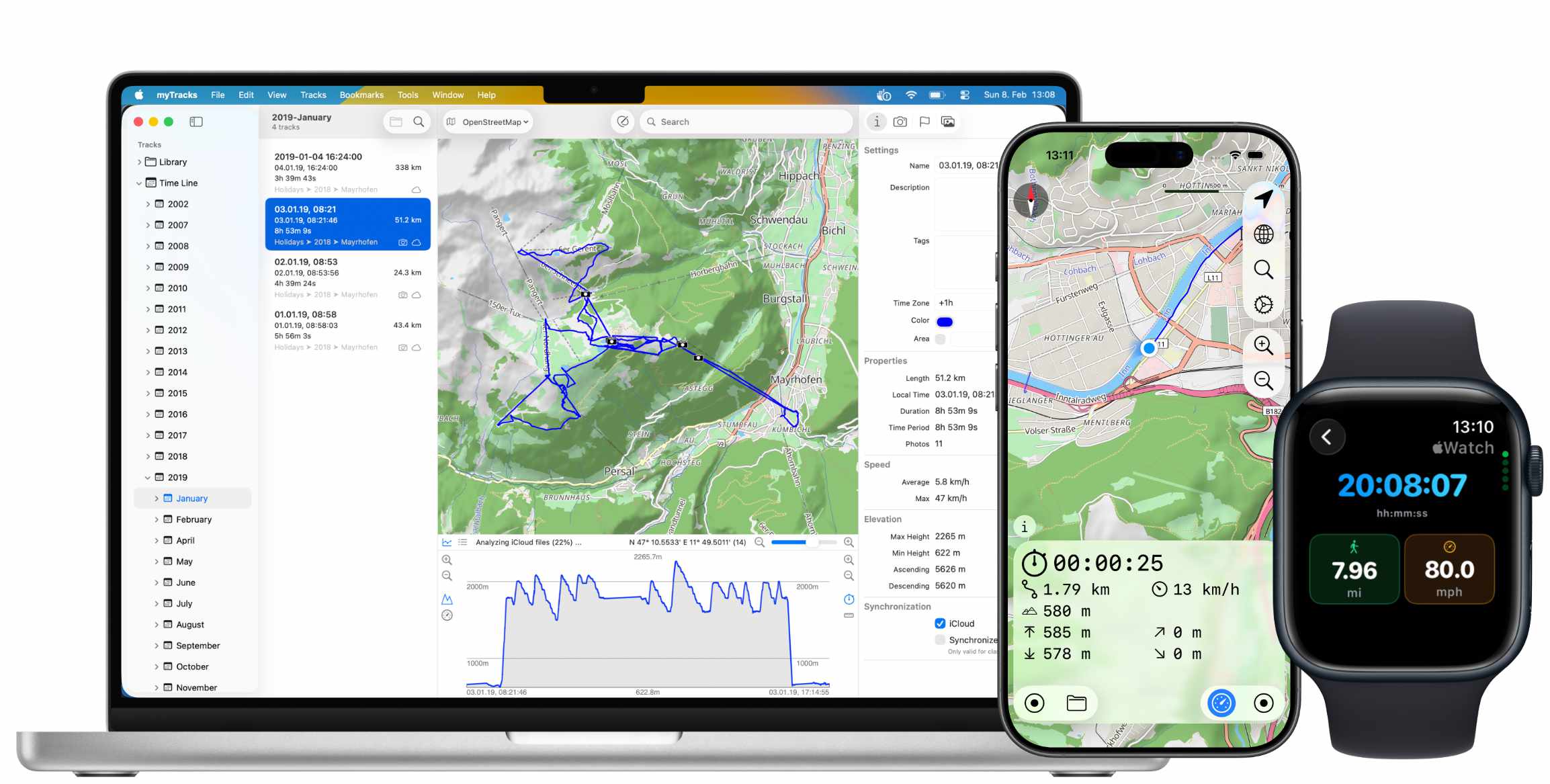
myTracks is available both as desktop application for Mac and as mobile app for iPhone and iPad. On the Mac myTracks supports various GPS loggers to get your GPS tracks to your Mac. Afterwards you can geotag your photo files, i.e. write GPS locations to your photos. myTracks supports the JPEG file format and various RAW formats.
Features
myTracks for macOS
myTracks for macOS is the swiss-army knife for organizing your GPS tracks. They can be loaded from a broad range of devices and organized in a library comfortably. Once imported you can drag & drop photo files (JPEG or RAW) to myTracks and they will be assigned to the GPS tracks automatically. The GPS information can be written to the EXIF and IPTC tags of the photo files (Geotagging). GPS tracks can be exported as GPX, KML or KMZ files. You can use the exported files, e.g. with Google Earth.
myTracks for iOS and iPadOS
myTracks turns your iPhone into a fully functional GPS logger. During recording, you can add waypoints to highlight important locations. The GPS tracks are stored on your iPhone and optionally in iCloud. There is no need to register or login to any network service. You can start and stop individual GPS recordings or use the power-saving diary mode. Using this mode myTracks automatically creates a single track for each day with the most important locations.
myTracks for watchOS
The integrated Apple Watch app displays information about the current GPS recording. This includes the starting time, distance traveled, current, minimum and maximum elevation. Since myTracks 5 you can record tracks directly using Apple Watch.
More Features
1-Click Geotagging
Simply drag and drop photos to myTracks and write GPS information to JPEG and RAW files with a single click.
iCloud Synchronization
Synchronize your GPS tracks and photos seamlessly between all your Apple devices using iCloud.
Waypoints & Photos
Add waypoints during recording to mark important locations and take photos that are automatically assigned to your track.
Diary Mode
Battery-saving mode that automatically records one track per day with the most important locations visited.
GPX, KML & KMZ Export
Export your GPS tracks in standard formats for use with Google Earth and other applications.
Navigation
Navigate along previously recorded GPS tracks or imported routes on your iPhone.
Get Started Today
Download myTracks from the App Store and start tracking your adventures