Import Tracks
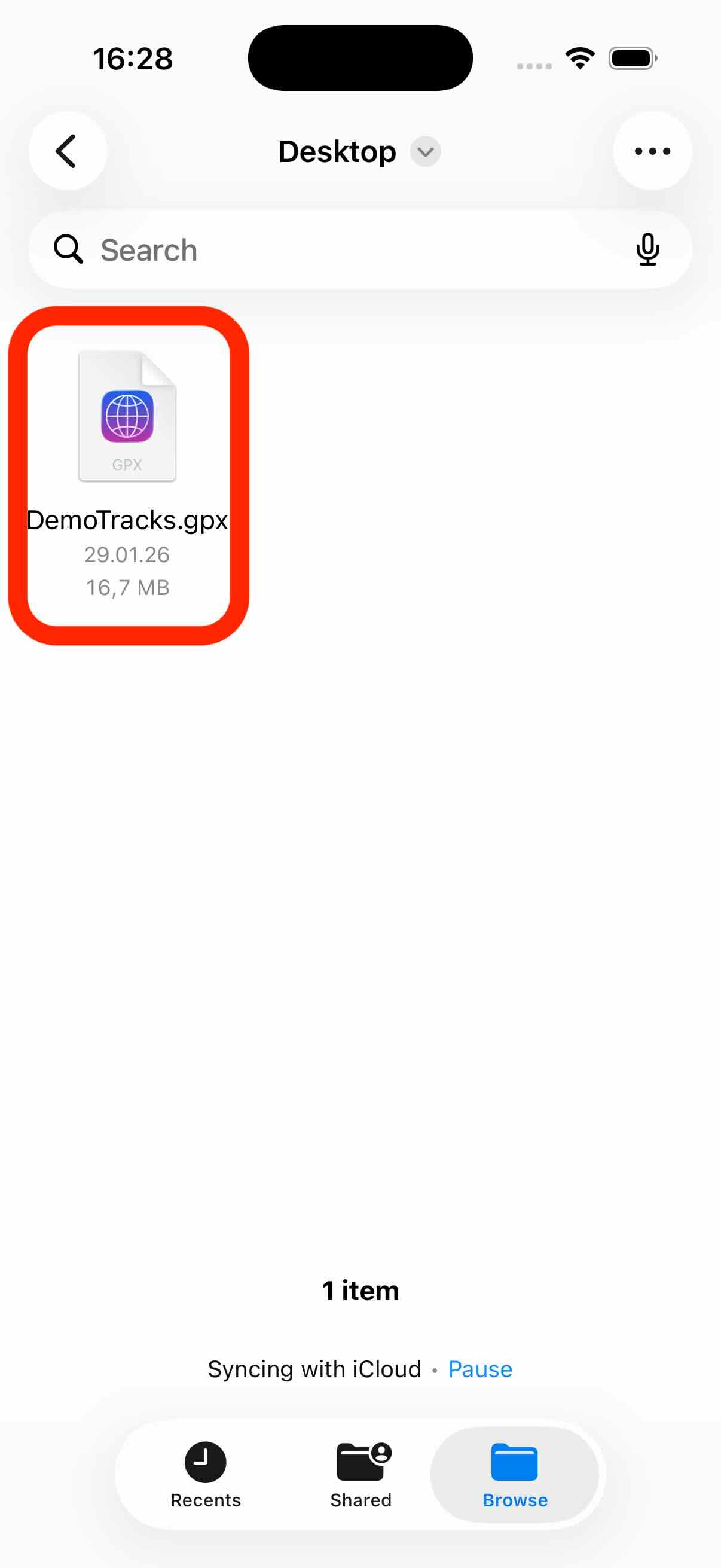
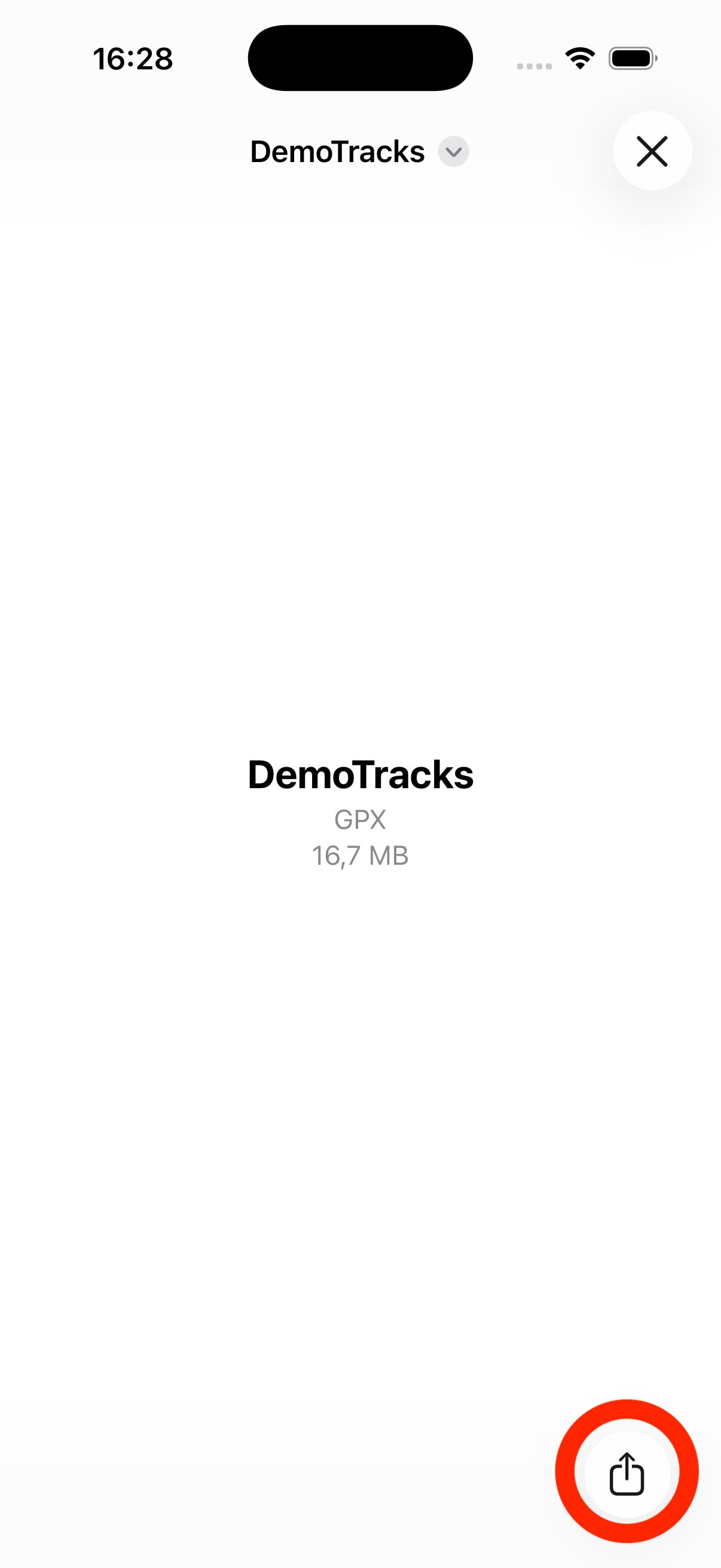
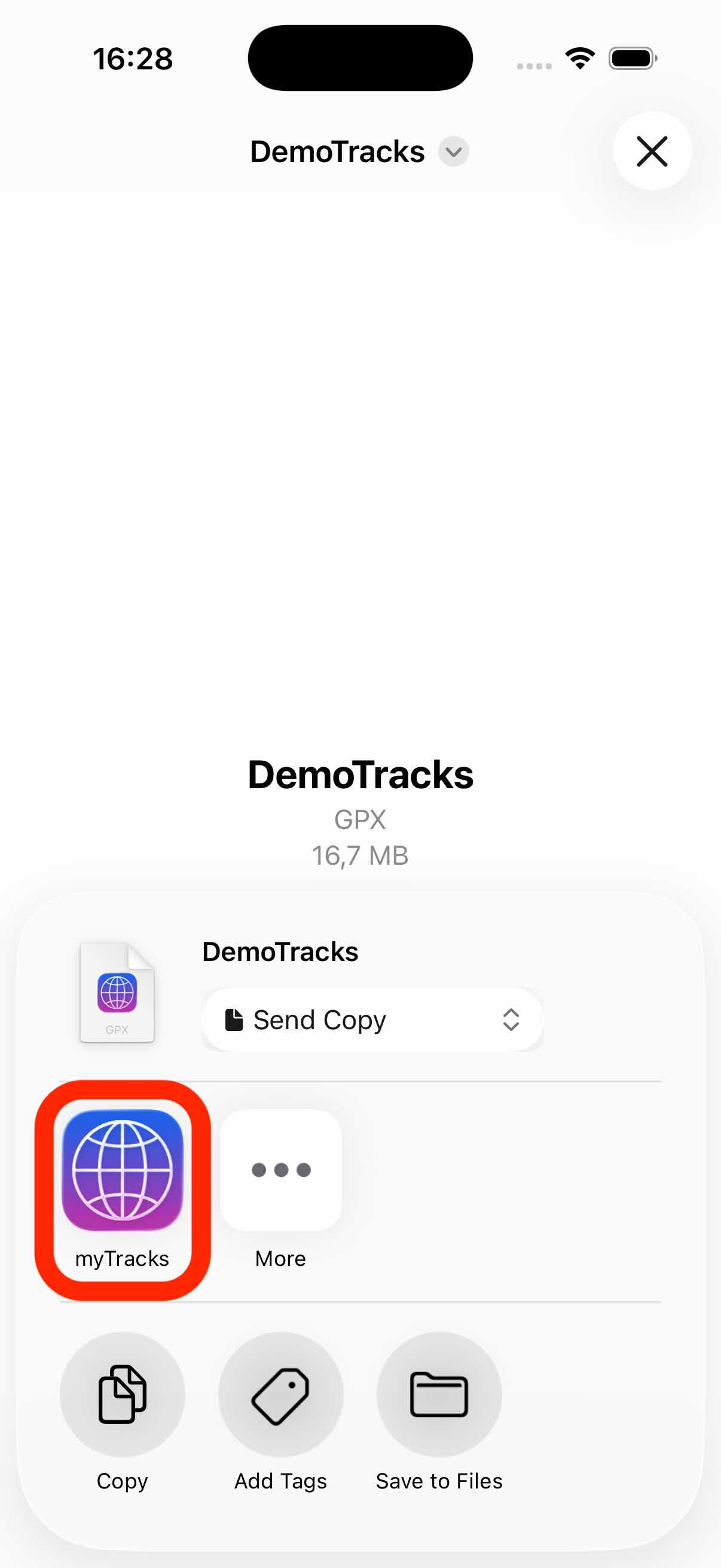
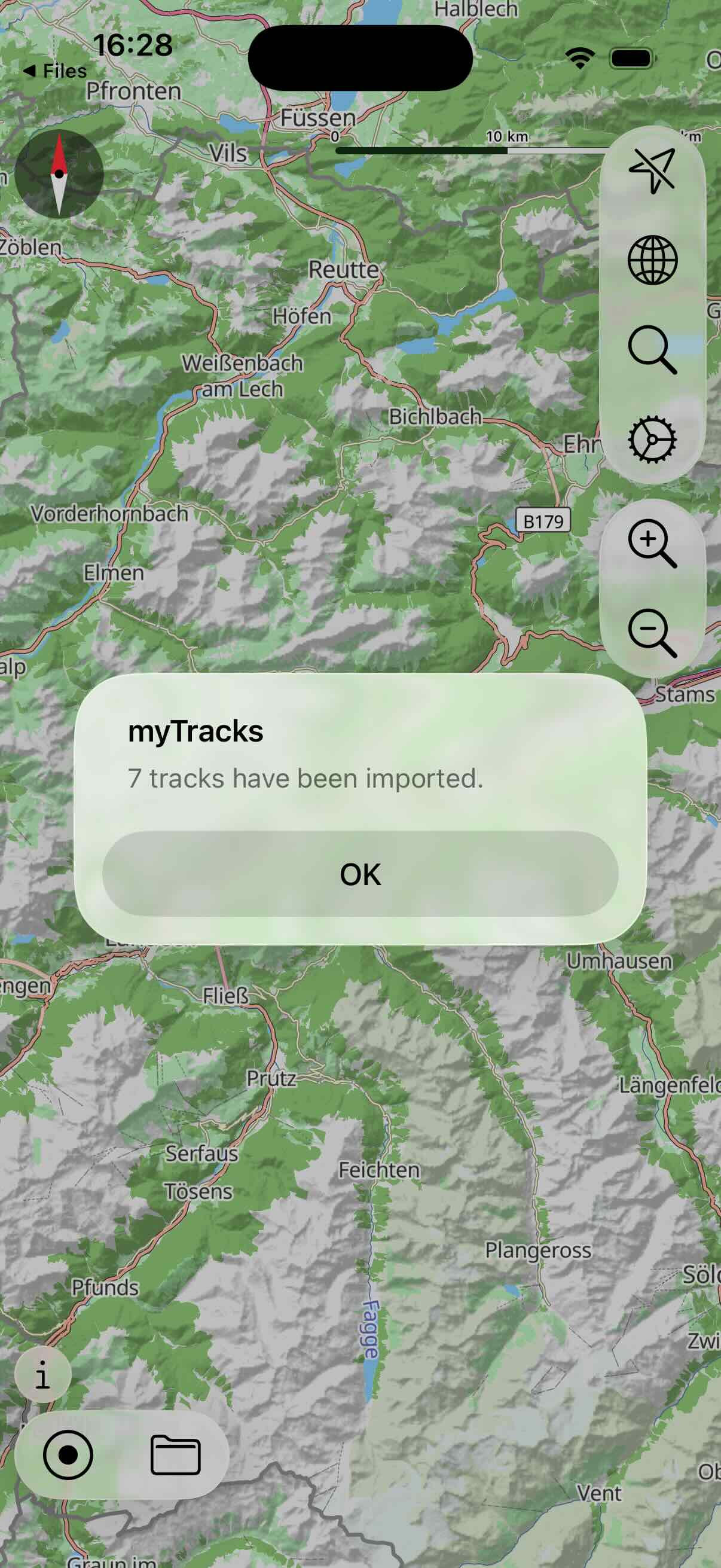
myTracks can import GPS tracks from GPX files. If you use an app on your iPhone that can provide a GPX file (which can also be Mail or Files) then use the Share feature in that app. In the following dialog, select myTracks. myTracks opens and the GPX file is imported.
The following screenshots show how to import a GPX file using the Files app: